Live clinic queues · Pakistan time
Book your token. Skip the crowded waiting room.
Choose a doctor, pick a free slot and follow the queue live on your phone. We tell you when your turn is near, so you arrive just in time.
- Token updates
- Live
- Your turn
- Push + voice
- Booking opens
- 12 h before
For patients
How booking works
Four steps from your sofa to the doctor's room.
-
Step 1
Sign in
Use your email or mobile number. Tokens the reception booked with your number appear in your account.
-
Step 2
Find your doctor
Filter by clinic and specialty, from general physicians to ultrasound, and see the consultation fee.
-
Step 3
Pick a free slot
Choose today or a coming day. Booking for a slot opens 12 hours before it starts, one token per day.
-
Step 4
Follow it live
Watch the token being served, how many are ahead and your expected time. Get a push and a voice call-out.
Your token page
Know exactly when to walk in
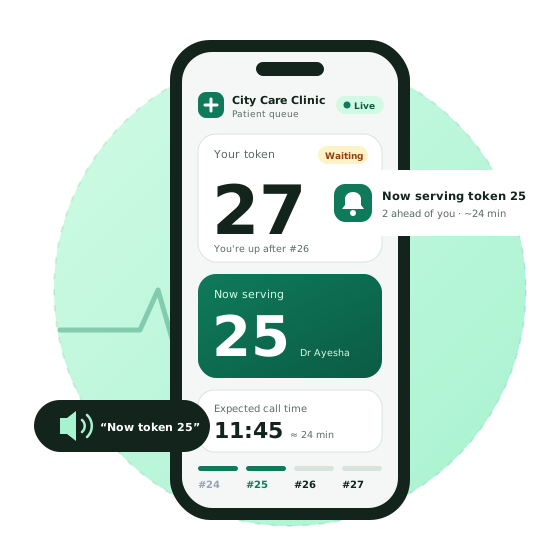
Every token has its own live page. It opens from your dashboard or from the link the clinic sends on WhatsApp, with no app needed.
- The token being served right now, updated the moment the doctor calls the next patient
- Patients ahead of you and your expected call time, based on how long consultations really take today
- A voice announcement and a push notification when the queue moves
27
You're up after #26.
Now serving
25
Room with Dr Ayesha
Expected call time
11:45
- Ahead of you
- 2
- Wait
- 24 min
For clinics
How it works at the clinic
One system for the front desk, the doctor's room and the clinic owner.
-
1
Set duty hours
Each doctor gets weekly shifts, breaks, leave days and slot length. Choose how many days ahead patients can book.
-
2
Issue tokens
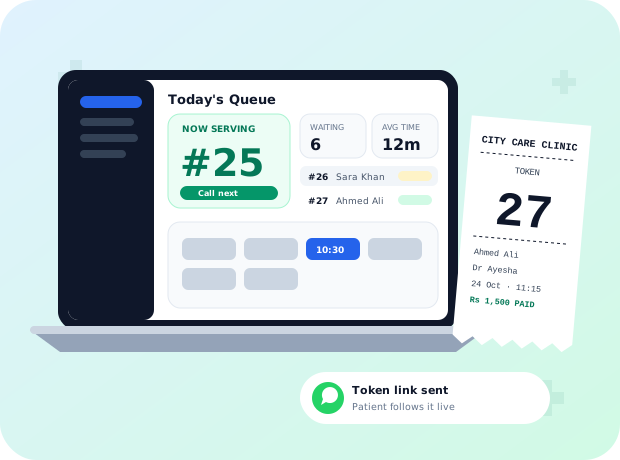
Reception books walk-ins in seconds, prints an 80 mm token slip and sends the live link on WhatsApp.
-
3
Call the next patient
The doctor or reception presses Call Next. The waiting room hears it, and patients get a push.
-
4
Track fees
Mark each consultation fee paid or pending. Paid fees on finished visits are locked.
One sign-in
Everyone gets their own portal
Sign in once. We open the right portal for your role.
Patients
Book tokens, follow your current token live and see your appointments.
Receptionists
Book walk-ins, run today's queue, skip no-shows, take fees and print slips.
Doctors
Call your next patient, see your queue and set your own hours and leave.
Clinic admins
Add doctors and receptionists, set fees and booking rules, and update clinic details.
Questions
When can I book a token?
Booking for a slot opens a set number of hours before it starts (12 hours unless the doctor changes it), and you can book up to the doctor's advance booking limit.
How many tokens can I book?
One token per day. If you need another doctor the same day, please ask at reception.
Some doctors are not listed. Why?
Some doctors only take tokens at the clinic. Reception can still book you in and send you the live link.
How do I pay the fee?
Pay at the clinic. Reception marks it paid, and you can see the fee status in your appointments.
What time zone are the times in?
All times are Pakistan time (PKT).
Your next visit, without the wait.
Get the app to book and follow your token on the go, or sign in on the web.